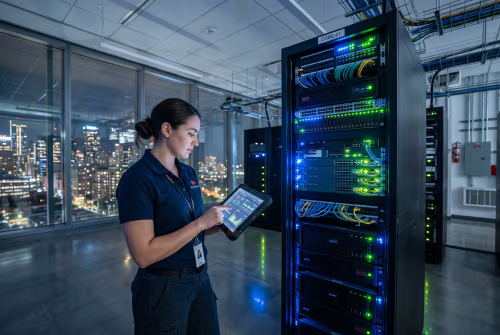
Businesses rely on technology to stay productive, secure, and competitive. But when systems fail or data is lost, the impact can be serious. That’s where our IT support services comes in. In this blog, you’ll learn what IT support includes, the different types of services available, and how they help reduce downtime, improve cybersecurity, and support business continuity. We’ll also cover how to choose between in-house and outsourced support, and what to look for in a reliable provider.
IT Support services refers to the range of technical assistance and infrastructure management businesses use to keep their systems running smoothly. These services include everything from troubleshooting hardware issues to managing software updates and protecting against cybersecurity threats.
Whether you operate in a small office or across multiple locations, having the right support in place helps avoid costly downtime and ensures your team stays productive. IT support also plays a key role in protecting sensitive data, maintaining compliance, and enabling growth through scalable solutions.

Support services IT is made up of several core areas. Each one plays a role in keeping your business technology reliable and secure.
This includes general technical assistance for hardware, software, and network-related issues. It ensures your team has help when problems arise, minimizing disruptions.
Data backup protects your business from data loss due to accidental deletion, hardware failure, or cyberattacks. Regular backups are essential for recovery and compliance.
While similar to data backup, this refers to the broader strategy of creating copies of systems and configurations. It supports faster recovery after major outages.
There are several types of IT support, including remote, on-site, and hybrid models. Each has its benefits depending on your business needs and structure.
A help desk provides users with a single point of contact for IT issues. It improves response times and ensures problems are tracked and resolved efficiently.
Cybersecurity services protect your systems from threats like malware, phishing, and ransomware. These services include firewalls, monitoring, and employee training.
With managed IT services, a third-party provider handles your IT operations. This includes monitoring, maintenance, and strategic planning to support long-term goals.

Deciding whether to keep IT support in-house or outsource it depends on your business size, budget, and technical needs. In-house IT support gives you direct control and faster on-site response. However, it can be more expensive and harder to scale.
Outsourced IT support services offer access to a broader range of expertise and tools. They often include cloud-based solutions, proactive monitoring, and cybersecurity support. For many businesses, outsourcing is a cost-effective way to get enterprise-level support without hiring a full internal team.
Cloud services and data backup and recovery are critical parts of modern IT support. Cloud services allow businesses to store data, run applications, and collaborate from anywhere. They also reduce the need for on-site hardware and simplify updates.
Data backup and recovery ensures that if something goes wrong—like a system crash or cyberattack—you can restore your files and systems quickly. This supports business continuity and helps avoid long-term disruptions.
Cloud platforms offer flexibility, scalability, and cost savings. They also support remote work and disaster recovery planning.
This includes both file-level backups and full system images. It ensures you can recover quickly from hardware failures or cyber incidents.
These include reactive support (fixing problems as they occur) and proactive support (preventing issues before they happen). Many providers offer a mix of both.
In-house IT teams provide hands-on support and deep knowledge of your systems. They’re ideal for businesses with complex or custom setups.
Outsourcing gives you access to a team of experts without the cost of hiring full-time staff. It’s a flexible option for growing businesses.
A responsive help desk improves employee satisfaction and reduces downtime. It’s a key part of any IT support strategy.
Third-party providers bring specialized skills and tools. They often offer better coverage and faster updates than internal teams can manage alone.

Start by assessing your current IT setup. Identify gaps in coverage, outdated systems, or recurring issues. From there, decide whether to build an in-house team or partner with a third-party provider.
Look for providers that offer a full range of services, including helpdesk IT service, cybersecurity support, and cloud-based solutions. Make sure they understand your industry and can scale with your business. Regular reviews and updates will help keep your systems aligned with your goals.
Following these practices helps ensure your IT support remains reliable and aligned with your business needs.

Are you a business with 20 or more employees looking for reliable IT support? Our team specializes in helping growing companies stay secure, productive, and prepared for anything. Whether you need full-service support or help with specific systems, we’ve got you covered.
At Alcott Enterprises, we provide tailored IT support and services that include helpdesk IT service, cloud solutions, and proactive monitoring. We work closely with your team to reduce downtime, protect your data, and support your long-term goals. Contact us today to see how we can help.
Businesses can choose from several types of IT support services, including remote help desk, on-site support, and managed IT services. Each option offers different levels of control and cost.
Remote support is great for quick fixes, while on-site support is better for hardware issues. Managed services combine both and often include proactive monitoring, cybersecurity, and data backup to reduce downtime and improve productivity.
A help desk acts as the first line of defense when technical issues arise. It provides a central point for users to report problems and get quick solutions.
This setup helps troubleshoot minor issues before they become bigger problems. It also reduces downtime and keeps your team focused. Help desk support is especially useful for businesses that rely on cloud-based tools and need fast, consistent help.
Cybersecurity is a mission-critical part of IT support. It protects your systems from threats like ransomware, phishing, and data breaches.
Without proper cybersecurity support, your business risks losing sensitive data and facing costly downtime. A proactive approach includes firewalls, antivirus software, and employee training to reduce risks and maintain productivity.
Keeping IT support in-house gives you more control and faster on-site response. It’s a good fit if your systems are complex or highly customized.
Outsourced IT support services, on the other hand, offer access to a wider range of skills and tools. They’re often more cost-effective and scalable, especially for businesses that don’t need full-time staff. Choosing the right model depends on your size, budget, and technical needs.
Managed IT services include monitoring, maintenance, and strategic planning. Providers handle everything from software updates to cybersecurity.
These services include proactive support to prevent issues, cloud-based tools for flexibility, and regular data backup to ensure business continuity. It’s a great option for businesses that want reliable support without managing it all in-house.
Cloud services help maintain operations during disruptions. They allow employees to access data and tools from anywhere, even if your office is offline.
These services include automated backups, remote collaboration tools, and scalable infrastructure. They reduce the risk of downtime and make it easier to recover from technical issues or natural disasters.